Atlas Home Intelligence

A smarter space should feel simpler—not more complicated.

Atlas designs practical connected-home and workspace systems around the way people actually live and work. Lighting, climate, routines, notifications, access, and compatible devices can work together through one understandable system with clear manual control.

  • Designed around your actual routines
  • Existing compatible devices considered first
  • Clear controls and manual overrides
  • No unnecessary gadget clutter
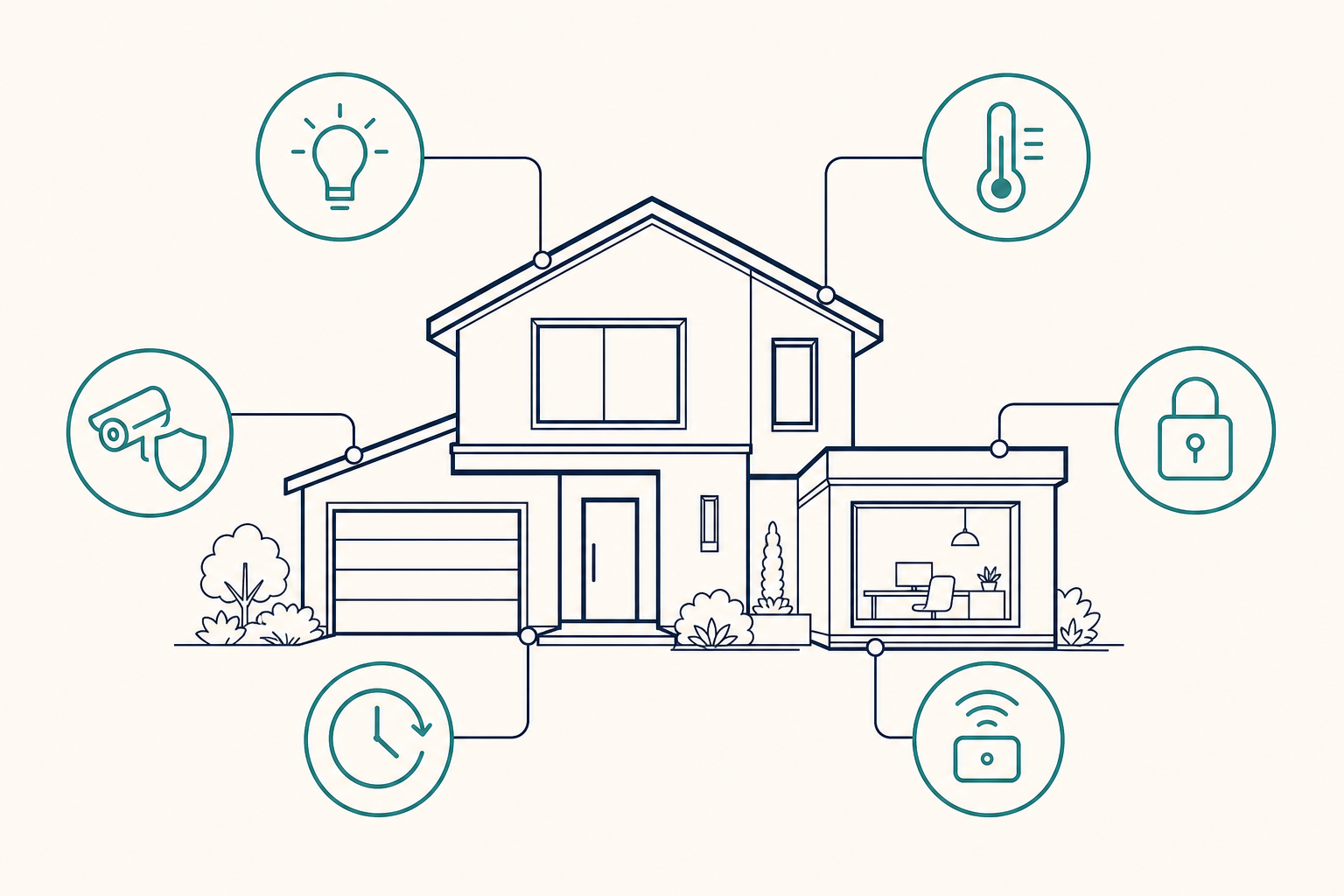
Connected home and home-office system showing coordinated lighting, climate, access awareness, routines, and manual control.

More than smart devices

Bring the systems around you into one understandable experience.

A collection of smart devices is not necessarily a smart home. The value comes from coordinating the devices, routines, controls, and notifications around how the space is actually used.

What you experience

  • Lighting and climate that respond to useful routines
  • Clear controls that are easy to find and understand
  • Relevant notifications instead of constant noise
  • Fewer separate apps and repeated manual steps
  • Manual control when automation is not appropriate

What Atlas organizes

  • Compatible devices and platforms
  • Approved routines and operating rules
  • Conditions that start or stop an automation
  • Notifications and exception handling
  • Documentation of how the system is intended to work

The goal is not more technology. It is a space that is easier to use.

What Home Intelligence can support

Practical automation built around everyday life and work.

01

Lighting and scenes

Coordinate lighting around time of day, room use, arrival, departure, work, relaxation, or other approved routines.

Arrival and departure scenes · Evening lighting · Work and meeting modes · Exterior-light schedules · Whole-home controls
02

Climate and comfort

Help heating, cooling, fans, shades, and environmental devices respond more consistently to how the space is used.

Occupancy-aware comfort · Sleep and wake routines · Home-office comfort modes · Temperature notifications · Coordinated fans and shades
03

Routines and presence

Coordinate repeated actions around whether people are home, away, sleeping, working, or using a particular area.

Morning and evening routines · Away mode · Guest mode · Workday routines · Vacation behavior
04

Awareness and notifications

Surface useful information when something needs attention without creating unnecessary alerts.

Doors or windows left open · Unusual temperature conditions · Water or environmental sensors · Device or battery issues · Selected system-status events
05

Coordinated control

Make compatible lighting, climate, and other approved devices easier to manage together through understandable routines and clear manual control.

Arrival behavior · Room and whole-space controls · Status visibility · Device grouping · Manual override controls
06

Home offices and working spaces

Create a working environment that supports focus, meetings, comfort, and the transition between work and home.

Start-work and end-work routines · Meeting lighting · Climate and noise coordination · Status indicators · Equipment shutdown checks
The Home Intelligence process

Start with the environment—not a shopping list.

  1. 01

    Understand the space

    Review the rooms, routines, existing devices, control points, network conditions, and frustrations that matter most.

  2. 02

    Define the experience

    Identify what should happen, what should remain manual, which notifications are useful, and how exceptions should be handled.

  3. 03

    Design and test the system

    Select compatible equipment and platforms, configure the approved routines, and test behavior under realistic conditions.

  4. 04

    Document and hand off

    Provide clear controls and practical documentation so the people using the space understand what the system does and how to take control when needed.

Build around what already works

Your current devices may still have a place.

Atlas begins by understanding what is already installed. Compatible devices and platforms may be incorporated when they are reliable, appropriate for the intended routine, and capable of working within the approved system design.

Keep useful equipment

Do not replace functioning devices simply to create a completely new system.

Reduce unnecessary fragmentation

Look for practical ways to reduce separate apps, duplicate controls, and disconnected routines.

Replace only when there is a reason

Recommend new equipment when compatibility, reliability, control, or the intended outcome requires it.

Compatibility is evaluated for each project. Existing equipment cannot be assumed to work with every proposed system.

Control stays visible

Automation should support the people in the space—not take control away from them.

  1. 01

    Manual control

    Important lighting, climate, access, and routine functions should remain understandable and manually controllable.

  2. 02

    Clear routines

    The owner should know what starts an automation, what it changes, and what happens when conditions are different from normal.

  3. 03

    Useful notifications

    Alerts should be limited to information that is relevant enough to deserve attention.

  4. 04

    Defined system boundaries

    Project scope, connected devices, remote access, data handling, support, and exception behavior should be agreed upon before implementation.

Where Home Intelligence fits

Designed for spaces where coordinated control would make daily life easier.

Potentially suitable

  • Primary residences
  • Home offices
  • Detached workspaces
  • Existing smart homes that have become fragmented or difficult to manage

Requires separate evaluation

  • Life-safety systems
  • Medical monitoring
  • Commercial fire or access-control systems
  • Alarm monitoring
  • Large commercial building automation
  • Environments requiring certified or regulated installation

Atlas will define whether a project fits its capabilities before recommending equipment or implementation.

Tell us about your space

Start with the result you want—not the devices you think you need.

Describe the space, what is already installed, and what you would like to make easier. Atlas will review the information and reply by email with the most sensible next step.

Atlas will not call you or add you to a marketing sequence. We will respond by email. A scheduling link may be included if a short conversation would be useful.

Do not include passwords, credentials, alarm codes, confidential customer information, or regulated data.

Questions and answers

What to expect from a Home Intelligence inquiry.

Do I need to know which equipment I want?

No. Begin with the experience or problem you want to improve. Device and platform recommendations should follow the intended outcome.

Can Atlas use devices I already own?

Possibly. Existing devices are evaluated for compatibility, reliability, and suitability for the proposed system.

Is Home Intelligence the same as the AI Workflow Assessment?

No. The AI Workflow Assessment focuses on small-business operating workflows. Home Intelligence inquiries are evaluated separately.

Will Atlas call after I submit the inquiry?

No. Atlas will respond by email. A scheduling link may be included when a short discussion would be useful, but no call is required.

A connected space should be easier to understand, easier to control, and better aligned with the way people actually use it.